
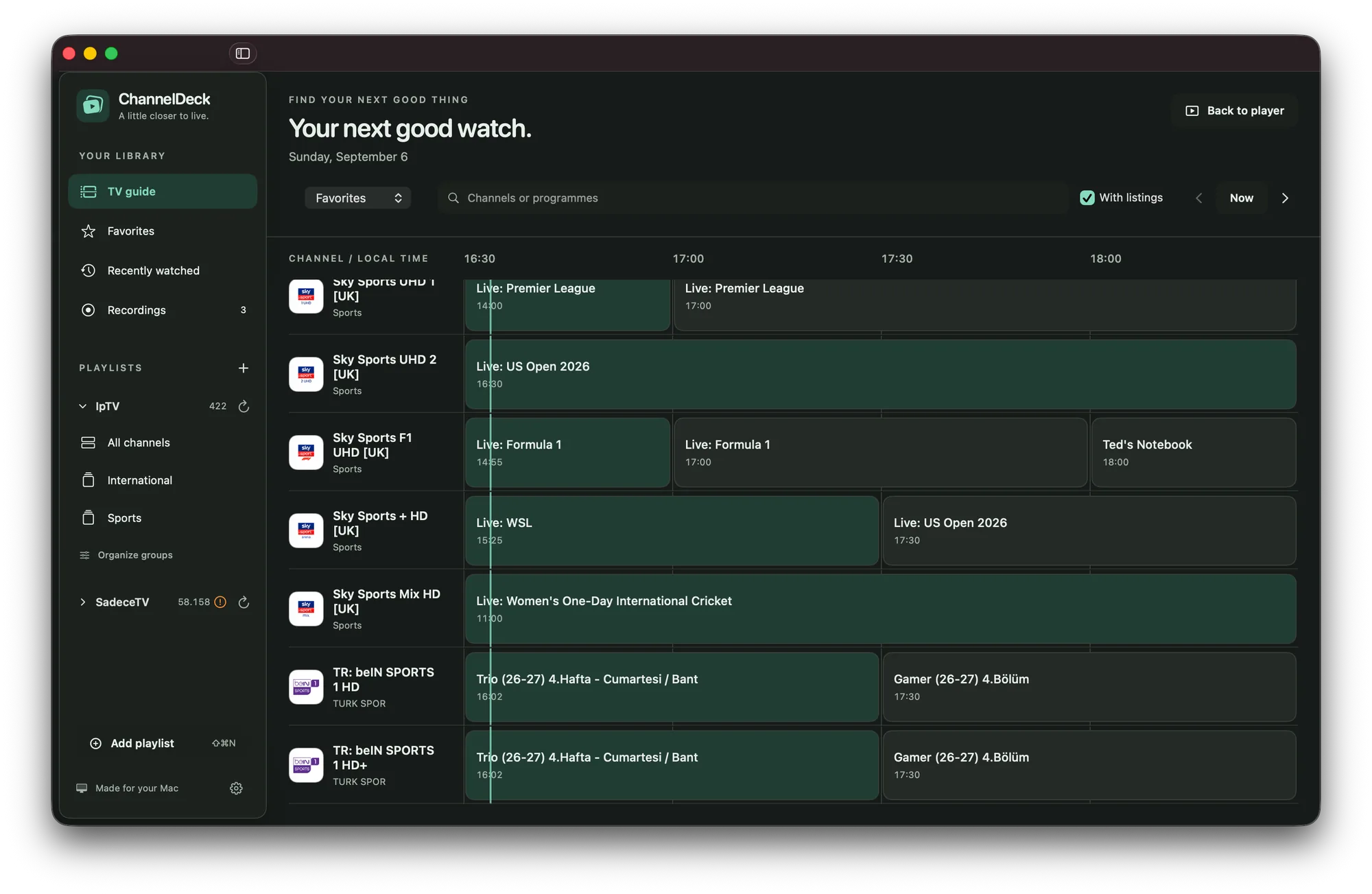
TV guide
Find your next watch.
Search channels and programme listings, organize groups, and keep favorites close. Use your playlist’s XMLTV guide or opt into Open-EPG matching.
ChannelDeck for Mac · Preview
Bring your IPTV playlists into a native Mac library. Browse the guide, rewind the live buffer, keep a Picture in Picture window open, or save an authorized programme for later.
Version 0.2.1 · Apple silicon · macOS 15 or later · testing prerelease
The preview includes FFmpeg; Xcode and Homebrew are not required. Open the DMG, drag ChannelDeck into Applications, then open the app.
A Mac download installs the Mac app. Apple TV is a separate app, available on the App Store.

TV guide
Search channels and programme listings, organize groups, and keep favorites close. Use your playlist’s XMLTV guide or opt into Open-EPG matching.
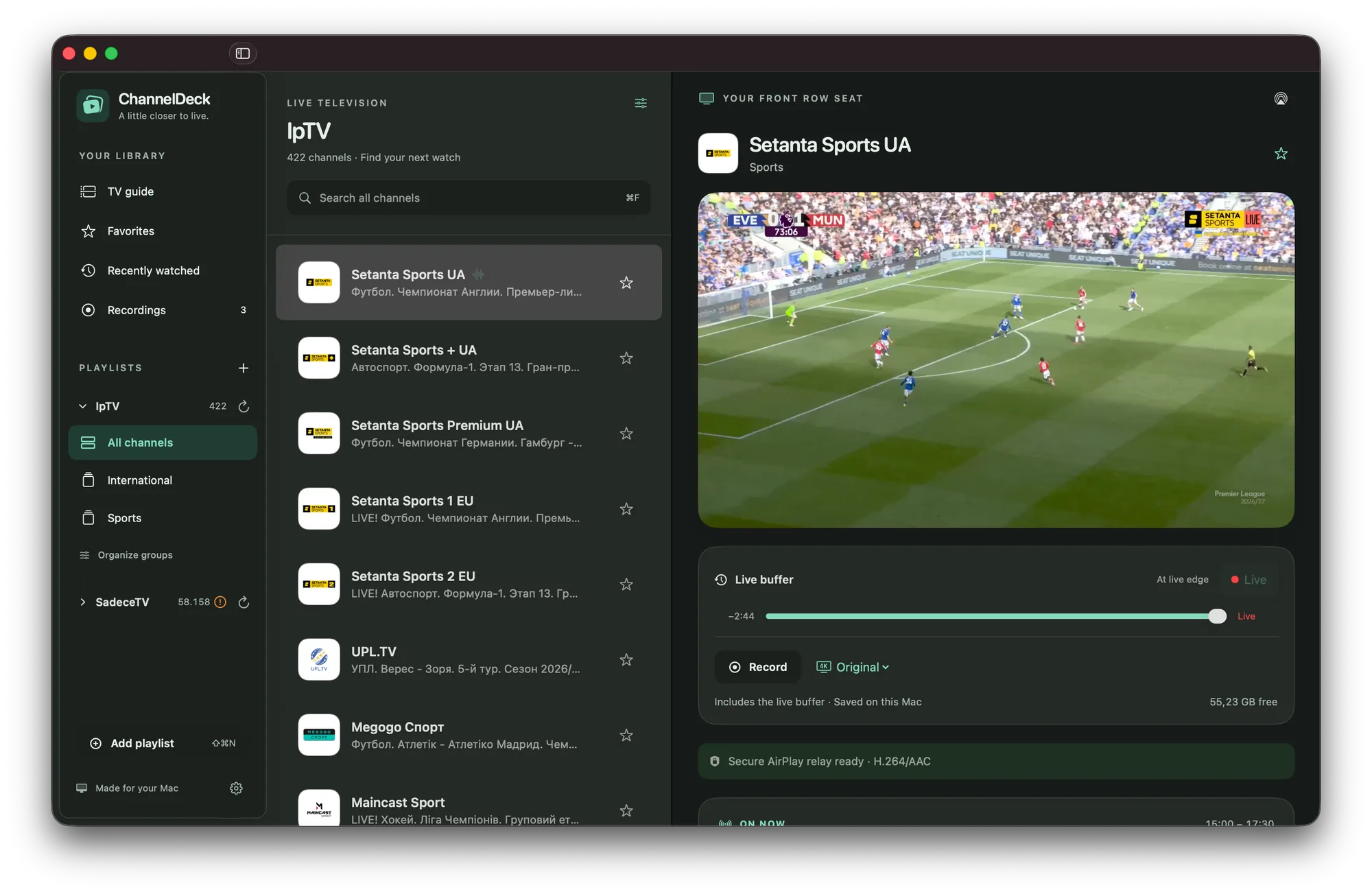
Live buffer
Use the available rolling history to rewind. Keep playback nearby with Picture in Picture, or use AirPlay with compatible sources and receivers. Adaptive buffering keeps playback smooth.
Recording
Record authorized content locally, including media already retained in the live window. Choose original video or a compatible rendition, and browse saved recordings in the app.
Privacy
Source addresses are stored in Keychain and playlist caches are encrypted. Your providers still receive requests needed to load their streams, guides and images.
This is a preview release. Source compatibility, network conditions and available disk space affect playback and recording. Channels and subscriptions are not included. Read the release notes and known limits before installing.
Mac screenshots show channels from the publisher’s own playlists. Channels and subscriptions are not included with ChannelDeck.